ChatGPT vs Claude vs Gemini: Which AI Assistant Is Best for Everyday Work?
ChatGPT, Claude, and Gemini can all help with everyday work, but they are not interchangeable. The best choice depends less on which assistant is “smartest” in a general sense and more on the work you do most often: writing, research, document review, tables, brainstorming, Google Workspace tasks, or privacy-sensitive business work.
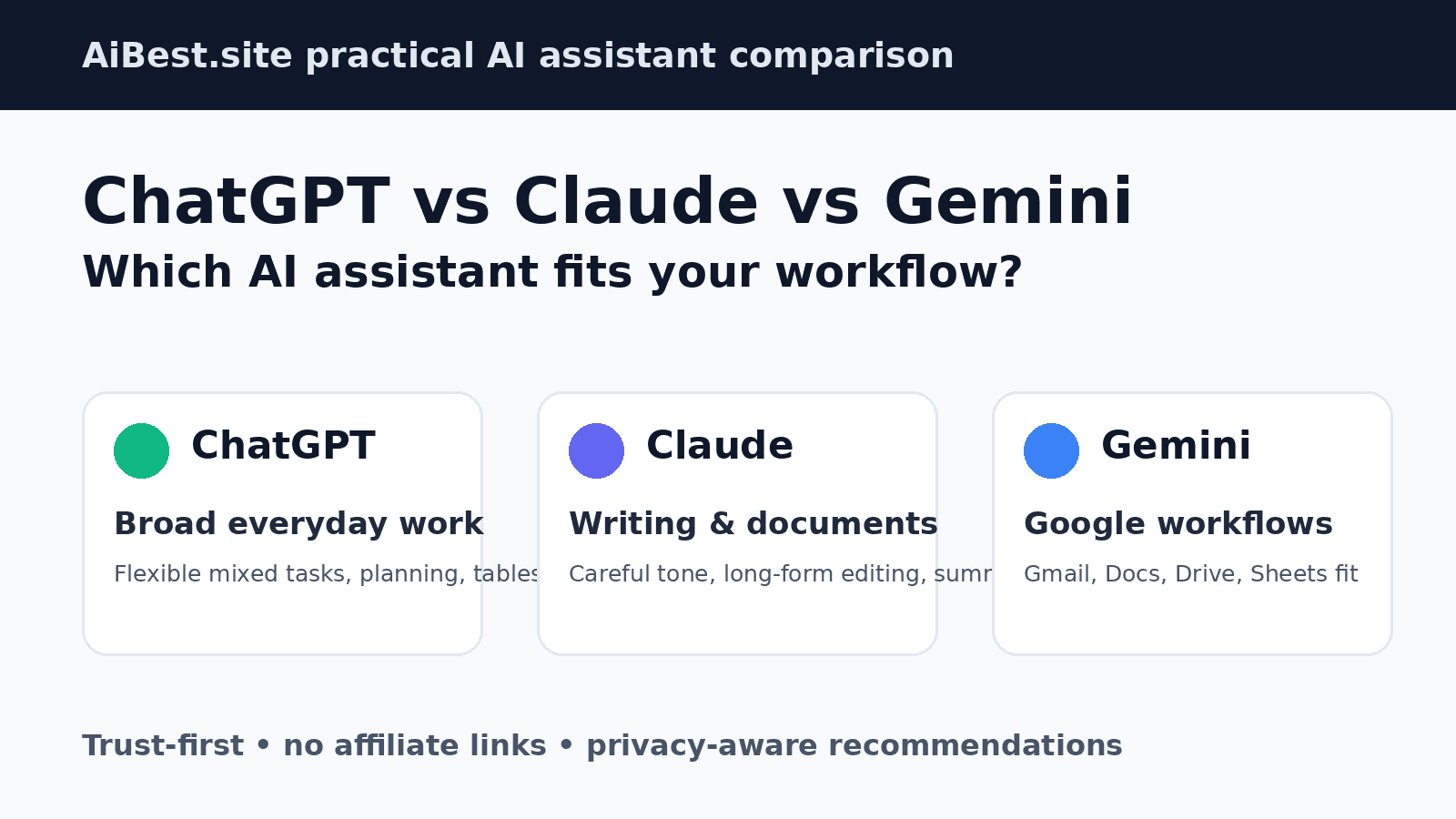
The short version: ChatGPT is the safest first option for many people who want one flexible assistant for mixed daily tasks. Claude is especially strong when the work is writing-heavy, document-heavy, or needs careful tone and structure. Gemini makes the most sense when your work already lives in Gmail, Google Docs, Google Drive, Sheets, Android, or the broader Google ecosystem.
There is no universal winner. If you handle confidential files, client work, school records, legal material, financial data, or internal business documents, your first step should not be choosing the tool with the best marketing page. Start by reviewing privacy settings, data-use policies, and your organization’s rules. AiBest also has a practical AI tool privacy checklist before uploading sensitive files that you should use before sharing private data with any assistant.
Reviewed May 20, 2026. This comparison is trust-first and no-affiliate: AiBest.site does not earn a commission from ChatGPT, Claude, or Gemini links in this article. We prioritize workflow fit, privacy cautions, and practical limitations over “winner takes all” claims. For the broader tool landscape, start with our AI tools directory.
Quick answer: which AI assistant should you use?
- Choose ChatGPT if you want a broad everyday assistant for writing, brainstorming, coding help, data/table reasoning, file-based tasks, and general productivity.
- Choose Claude if your main work is long-form writing, editing, summarizing documents, improving tone, or reasoning through text-heavy projects.
- Choose Gemini if you already work heavily in Google Workspace and want an assistant close to Gmail, Docs, Drive, Sheets, Search, Android, or other Google services where available.
- Use more than one if you do mixed professional work and want to cross-check important answers before relying on them.
- Do not rely on any one assistant as the final authority for legal, medical, financial, compliance, academic, or client-sensitive decisions.
For most everyday users, ChatGPT is the best starting point because it is flexible across many tasks. For writers, editors, analysts, and students working with long text, Claude deserves serious consideration. For teams already built around Google tools, Gemini may be the least disruptive option.
How we compared ChatGPT, Claude, and Gemini
This comparison uses a workflow-first method rather than a lab benchmark. The goal is to help a normal user decide which assistant to try first for everyday work.
Review date: May 20, 2026.
Evaluation method:
- We used the same practical scenario categories across the three tools: email rewriting, plain-English explanation, content brainstorming, table reasoning, source-aware research, and privacy-sensitive file handling.
- We prioritized usefulness, clarity, structure, reasoning quality, writing quality, uncertainty handling, privacy/data-control considerations, and fit for real daily workflows.
- We reviewed official or primary/reputable documentation where accessible, including Anthropic’s privacy center and Google Gemini privacy/update pages. OpenAI official privacy/data-control pages were checked but returned bot-access restrictions during verification, so OpenAI-specific privacy claims are kept cautious and readers should review the official pages directly.
- We avoided affiliate links, commission-driven recommendations, and “best overall forever” claims.
- We did not treat synthetic benchmarks as the deciding factor because most readers care more about daily workflow fit than leaderboard scores.
Important limitation: this is a practical workflow comparison, not a permanent benchmark. Product features, model access, limits, pricing, file handling, and privacy controls change often, and availability can vary by plan, region, account type, and admin settings.
Best AI assistant by workflow
| Workflow | Best first choice | Why it may fit | Main watch-out |
|---|---|---|---|
| General everyday work | ChatGPT | Broad, flexible, familiar, and strong across mixed tasks | Can still sound confident when wrong |
| Long-form writing and editing | Claude | Often strong at tone, structure, rewriting, and careful text review | Plan limits and integrations matter |
| Google Workspace work | Gemini | Fits users already working in Google apps where integrations are available | Privacy/activity settings deserve close review |
| Brainstorming and ideation | ChatGPT or Claude | ChatGPT is broad and fast; Claude is often thoughtful and polished | Generic prompts produce generic ideas |
| Research and source-aware answers | Depends | The best tool is the one that makes claims easier to verify | All three can produce incomplete or wrong citations |
| Document/file workflows | Claude or ChatGPT | Good fits for summarizing, rewriting, and extracting action items from text | Do not upload confidential files without approval |
| Data/table analysis | ChatGPT | Often a strong fit for interpreting small tables and explaining trade-offs | Always verify calculations separately |
| Privacy-sensitive work | Depends | Plan type, settings, policy, and organization rules matter more than brand | No consumer chatbot should be treated as automatically safe for sensitive data |
Side-by-side comparison
| Category | ChatGPT | Claude | Gemini | Practical takeaway |
|---|---|---|---|---|
| Best fit | Broad daily productivity | Writing, editing, document reasoning | Google ecosystem workflows | Pick based on the work you repeat most |
| Writing/editing | Strong and flexible | Often polished and careful | Useful near Google Docs/Gmail workflows | Test with your own style guide before choosing |
| Brainstorming | Fast and broad | Nuanced and structured | Convenient inside Google workflows | Ask for specific constraints to avoid generic output |
| Research/source behavior | Useful but requires verification | Useful but requires verification | Strong Google context where available | Do not trust citations without opening sources |
| Files/documents | Strong for many file workflows where enabled | Strong for long text and document review | Best when documents are already in Google services | Check plan limits and privacy settings first |
| Data/tables | Strong for small analysis tasks and explanations | Good for reasoning through table meaning | Useful with Sheets-oriented workflows | Use a calculator or spreadsheet to verify numbers |
| Ecosystem | Broad app and tool awareness | Text/document-centered workflow | Google-first workflow | Ecosystem fit can matter as much as model quality |
| Privacy | Settings and plan type matter | Settings and plan type matter | Activity controls and Workspace settings matter | Review official controls before uploading sensitive data |
Writing and editing
If writing is your main use case, Claude is often the first assistant to test. It tends to be useful for rewriting messy drafts, improving tone, organizing long sections, and producing professional prose that does not feel overly aggressive or overly casual.
ChatGPT is also strong for writing, especially when writing is part of a broader workflow. For example, a small business owner might ask ChatGPT to outline a landing page, turn the outline into a first draft, suggest objections, create a comparison table, and then generate a checklist for the sales team. That breadth is why ChatGPT is a strong default for many general users.
Gemini’s writing advantage depends heavily on where you write. If your work happens in Google Docs, Gmail, Drive, and Sheets, Gemini may be more convenient because it can be closer to the workspace where drafts and messages already live, depending on plan, account type, and admin settings.
Best fit:
- ChatGPT: mixed writing plus planning, formatting, analysis, and daily productivity.
- Claude: careful rewriting, long-form editing, professional tone, and document-heavy work.
- Gemini: Google Workspace users who want writing help near Gmail, Docs, Drive, and Sheets.
Watch out for: all three can flatten your voice. Give examples of your preferred tone, audience, and constraints. Do not paste client-confidential drafts unless your organization has approved that use.
Brainstorming and content ideas
For brainstorming, the biggest difference is often not the assistant but the prompt quality. “Give me blog ideas” will produce generic topics in any tool. “Give me 12 blog ideas for a local accounting firm targeting small business owners, with search intent and a non-generic angle for each” produces a much more useful comparison.
ChatGPT is a strong brainstorming default because it usually handles a wide range of formats quickly: lists, angles, outlines, campaign ideas, product names, email sequences, and next-step plans. Claude is useful when you want more thoughtful framing, clearer trade-offs, or a less noisy set of ideas. Gemini is worth testing if the brainstorming is connected to Google docs, existing notes, or Google Workspace processes available in your account.
Best fit:
- ChatGPT if you want many practical options quickly.
- Claude if you want fewer but more carefully framed ideas.
- Gemini if the brainstorm connects naturally to your Google workflow.
Watch out for: vague prompts create vague ideas. Ask for search intent, target audience, examples, constraints, and “ideas to avoid.”
Research and source behavior
For research, the safest question is not “Which AI assistant sounds most confident?” It is “Which assistant helps me verify claims fastest?”
All three assistants can make mistakes, omit context, or cite sources that do not support the claim being made. Some may have browsing, search, or citation features depending on plan, region, settings, and current product release. That does not remove the need to open sources yourself.
A safer research workflow:
- Ask the assistant for a short answer and the main assumptions.
- Ask for primary sources or official documentation where possible.
- Open the links and check whether they support the claim.
- Check dates, especially for fast-changing AI, legal, medical, financial, or regulatory topics.
- Ask the assistant to list what it is uncertain about.
- Use the assistant to summarize and compare sources, not to replace judgment.
Best fit:
- ChatGPT: broad research support and follow-up questioning.
- Claude: careful synthesis and explanation of long source material.
- Gemini: research-adjacent workflows where Google context or Search integration is useful and available.
Watch out for: never use AI-generated research as the final authority for legal, compliance, health, finance, immigration, tax, or client-risk decisions.
Document and file workflows
Document workflows are one of the strongest reasons to choose carefully. A good assistant can turn a long PDF into a summary, extract action items from meeting notes, compare two drafts, rewrite a policy in plain English, or identify unanswered questions in a proposal.
Claude is often a strong first test for long text and careful document review. ChatGPT is a strong fit when the file workflow also involves analysis, restructuring, data interpretation, or turning a document into multiple outputs. Gemini is most attractive when the files are already part of a Google Drive, Docs, or Workspace process and the relevant integrations are available in the user’s account.
Do not treat document upload as automatically safe. Before uploading contracts, student records, medical information, employee records, financials, pricing, strategy documents, or client files, review the vendor’s policy, your plan settings, and your organization’s rules. Use the AiBest AI tool privacy checklist before uploading sensitive material.
Best fit:
- ChatGPT: mixed file workflows that turn documents into plans, tables, summaries, and next actions.
- Claude: long documents, careful summarization, editing, and text-heavy reasoning.
- Gemini: documents that already live inside Google Workspace.
Watch out for: summaries can miss important details. For legal, financial, academic, or compliance documents, treat AI summaries as a first pass only.
Data and table analysis
For everyday data tasks, ChatGPT is often the best starting point because it can explain tables, find obvious patterns, suggest next steps, and help users understand what the numbers mean. Claude can be useful for reasoning through the implications. Gemini may be convenient for users who do much of their work in Google Sheets.
Here is the key caution: AI assistants can make basic math mistakes or overstate conclusions. Verify calculations separately before changing budgets, reports, or forecasts.
Example from the evaluation prompt:
- Google Search: cost per lead $25.00, customer acquisition cost $171.43.
- LinkedIn: cost per lead $50.00, customer acquisition cost $225.00.
- Facebook: cost per lead $20.00, customer acquisition cost $350.00.
- Email: cost per lead $9.09, customer acquisition cost $40.00.
Based on that small sample, Email looks most efficient by cost per customer, but the right budget decision would also consider scale, channel capacity, attribution quality, customer value, and whether email can actually absorb more spend. Google Search may deserve more budget if it can scale profitably. Facebook produced cheap leads but weaker customer conversion.
Best fit:
- ChatGPT: explaining small datasets, turning tables into decisions, and generating follow-up questions.
- Claude: reasoning through caveats and writing the business explanation.
- Gemini: Google Sheets-connected workflows where available.
Watch out for: always check formulas, row labels, totals, and assumptions.
Google Workspace and ecosystem fit
Gemini’s clearest advantage is ecosystem fit. If your workday already happens in Gmail, Docs, Drive, Sheets, Calendar, Android, Chrome, and Google Search, Gemini may reduce friction because it is closer to where the work already lives.
That does not mean Gemini is better at every task. It means the assistant may be more convenient when the goal is to summarize a document in Drive, draft inside Docs, work near Gmail, or connect with other Google services where your plan supports it.
If you are not deeply invested in Google tools, this advantage matters less. A writer using standalone documents may prefer Claude. A business owner who wants one broad assistant for many tasks may prefer ChatGPT.
Best fit:
- Gemini if your existing workflow is Google-first.
- ChatGPT if you want a broader general-purpose assistant outside one ecosystem.
- Claude if the core job is long text, careful writing, and document reasoning.
Watch out for: Workspace availability, admin controls, region, plan type, and activity settings can change what Gemini can access or do.
Privacy and data controls before choosing
Privacy is not a single checkbox. It depends on the product, plan, region, user settings, data retention policies, training controls, admin settings, and your organization’s rules.
Before using ChatGPT, Claude, or Gemini with sensitive work, ask:
- Are you using a consumer, free, paid individual, team, business, education, or enterprise plan?
- Can the provider use your chats or uploaded files to improve models?
- Can you turn training or history features off?
- How long may data be retained?
- Can admins control access and settings?
- Are you allowed to upload client, employee, student, patient, legal, financial, or proprietary material?
- Do you need a business agreement, enterprise plan, or internal approval before using AI with certain data?
Anthropic’s privacy center describes retention and model training settings for Claude. Google’s Gemini Privacy Hub explains Gemini Apps activity and privacy controls. OpenAI’s official privacy and data-control pages should be checked before publication for the exact wording and plan-specific rules.
The safe rule: do not upload confidential, regulated, or client-sensitive data into any AI assistant unless you understand the plan settings and your organization has approved that use. When in doubt, anonymize. Remove names, addresses, emails, phone numbers, account numbers, exact pricing, contract terms, employee details, medical details, school records, and anything that would cause harm if exposed.
For a practical step-by-step checklist, read: AI Tool Privacy Checklist: What to Check Before Uploading Your Data.
Which one should small businesses, agencies, and real estate teams choose?
Small businesses usually need a flexible assistant that can help with operations, marketing, customer communication, hiring, simple analysis, and planning. ChatGPT is a strong first option for this kind of mixed workflow. If the business is Google Workspace-first, Gemini may be more convenient. If the business relies on proposals, reports, policies, or long documents, Claude may be worth testing early. For broader stacks, see AiBest’s guide to the best AI tools for small business in 2026.
Marketing agencies should test more than one assistant. ChatGPT can be useful for strategy, content planning, repurposing, and analysis. Claude can help polish client-facing drafts, briefs, and strategy documents. Gemini can be useful if the agency runs client work through Google Docs, Sheets, and Drive. For a wider agency stack, see AI tools for marketing agencies.
Real estate agents and brokers should be especially careful with privacy, fair housing, MLS rules, and client data. An assistant can help draft listing copy, emails, scripts, and checklists, but humans must review claims and compliance-sensitive language. See AiBest’s guide to AI tools for real estate agents for more workflow-specific guidance.
Practical evaluation prompts you can run yourself
Use these prompts to compare the assistants inside your own accounts. Record the date, plan, model, and whether browsing or file features were enabled. Do not use private client data in tests.
1. Business email rewrite
Prompt:
Rewrite this email so it is clear, professional, and firm without sounding rude. Keep it under 140 words.

Hi Jordan, we still have not received the final files. This is delaying the launch and the client is asking for updates. Please send them today or tell us exactly what is blocking you.
What to check: tone, concision, clarity, and whether the assistant keeps the message firm without sounding hostile.
2. Plain-English explanation
Prompt:
Explain retrieval-augmented generation to a non-technical small business owner in plain English. Include one practical example and one limitation.
What to check: accuracy, plain language, analogy quality, and whether the limitation is realistic.
3. Content brainstorm
Prompt:
Give me 12 practical blog post ideas for a local accounting firm that wants to attract small business clients. Avoid generic topics and include the search intent for each idea.
What to check: specificity, SEO usefulness, originality, and whether the ideas sound like real client problems.
4. Structured data/table reasoning
Prompt:
Analyze this simple campaign data and tell me which channel deserves more budget next month. Explain your reasoning and list one caveat.

Channel | Spend | Leads | Customers
Google Search | $1,200 | 48 | 7
LinkedIn | $900 | 18 | 4
Facebook | $700 | 35 | 2
Email | $200 | 22 | 5
What to check: math accuracy, reasoning, and whether the assistant notices that low CAC is not the only budget criterion.
5. Research/source behavior
Prompt:
I need to understand whether AI-generated summaries can miss important legal details. Give me a short answer and point me toward reliable sources I should check.
What to check: caution, source quality, and whether the assistant makes legal claims too confidently.
6. Privacy-sensitive file workflow
Prompt:
I have a contract with client names, pricing, and payment terms. What should I remove or anonymize before uploading it to an AI assistant for summarization?
What to check: practical privacy guidance, whether it discourages risky uploads, and whether it recommends reviewing settings and policy first.
Limitations and watch-outs
- Model behavior changes frequently. A result from one month may not match the next.
- Free plans may not reflect paid, team, business, education, or enterprise plan features.
- Features can vary by region, account type, age/account restrictions, admin settings, and release schedule.
- Any assistant can hallucinate facts, sources, calculations, or policy details.
- Citations can be incomplete, outdated, fabricated, or irrelevant.
- File summaries can miss important details.
- Privacy and training controls differ by product and plan.
- Google ecosystem fit matters only if you actually use Google tools.
- The best assistant for writing may not be the best assistant for tables, coding, or team administration.
- AI assistants should not replace professional legal, medical, financial, tax, immigration, or compliance advice.
Final recommendation
Start with the assistant that matches your most common workflow.
Choose ChatGPT if you want one broad assistant for everyday work: drafting, planning, brainstorming, coding help, data interpretation, file tasks, and general productivity.
Choose Claude if you care most about writing quality, careful editing, long documents, professional tone, and text-heavy reasoning.
Choose Gemini if your work already happens in Google Workspace and you want AI help close to Gmail, Docs, Drive, Sheets, and the broader Google ecosystem where available.
Use more than one if your work is important enough to cross-check. A common setup is ChatGPT for broad daily work, Claude for writing and document review, and Gemini for Google-connected tasks. The goal is not to follow a brand. The goal is to reduce friction, improve quality, and avoid unnecessary privacy risk.
Before uploading sensitive files to any of them, use the AI tool privacy checklist.
FAQ
Is ChatGPT better than Claude and Gemini?
Not universally. ChatGPT is often the best all-around starting point for mixed everyday work, but Claude may be better for long-form writing and document review, while Gemini may be better for users who work heavily in Google Workspace.
Is Claude better than ChatGPT for writing?
Claude is often a strong choice for long-form writing, editing, tone, and careful document work. ChatGPT is also a strong writer and may be better when the writing task also involves planning, analysis, formatting, or a broader workflow.
Is Gemini better than ChatGPT if I use Google Workspace?
Gemini may be the better first choice if your work already lives in Gmail, Docs, Drive, Sheets, and other Google tools, depending on your plan and available integrations. If you work outside Google’s ecosystem, ChatGPT or Claude may be a better fit.
Which AI assistant is best for research?
None should be treated as a final authority. The best research workflow is to use AI for summaries, questions, comparisons, and source discovery, then verify important claims with primary or reputable sources yourself.
Which assistant is best for confidential documents?
There is no universal safest option. Privacy depends on product, plan, settings, retention policies, training controls, admin controls, and your organization’s rules. Do not upload confidential or regulated documents unless that use is approved.
Should I pay for ChatGPT, Claude, or Gemini?
Pay only if the assistant saves enough time or improves enough work quality to justify the cost. Start with the tool that fits your main workflow: general daily tasks, writing and documents, or Google Workspace.
Can I use more than one AI assistant?
Yes. Many users get better results by using more than one assistant: one for general tasks, one for writing or document review, and one for ecosystem-specific work. This can also help you cross-check important answers.
Sources checked
This article keeps public sources lean and relies on official provider documentation where possible:
- OpenAI Privacy Policy and OpenAI Data Controls FAQ — official pages; bot access was restricted during our verification, so claims are deliberately cautious.
- Anthropic Privacy Center: how long Claude stores data.
- Google Gemini Apps Privacy Hub and Gemini release notes.