Last reviewed: 2026-05-19
Editorially reviewed by AiBest.site for clarity, source alignment, and trust-first editorial quality. This article is not legal, security, privacy, or compliance advice. If you spot an outdated vendor policy, setting, or source, contact AiBest.site so we can review and update the article.
AI tools can save hours when you are summarizing documents, drafting emails, analyzing notes, comparing research, or turning messy ideas into a usable first draft.
But before you paste sensitive information into a chatbot or upload a file to an AI app, pause for one minute. The privacy question is not simply “Is this AI tool safe?” A better question is:
“What data am I about to share, where could it go, and do I have permission to upload it?”
This AI tool privacy checklist is designed for professionals, small business owners, creators, students, freelancers, and teams who use AI tools with prompts, files, customer data, meeting notes, transcripts, or internal documents.
It is not meant to scare you away from AI. It is meant to help you use AI tools more deliberately, especially when the data is not yours alone.
Important note: This checklist is for general information, not legal, security, or compliance advice. If you handle regulated, confidential, client, employee, student, patient, financial, legal, or proprietary data, follow your organization’s policy and consult qualified legal, security, or compliance support before uploading it to any AI tool.
How we built this checklist
AiBest.site built this checklist by reviewing common AI tool data-risk patterns: prompts and chat history, file uploads, model-improvement settings, retention and deletion language, human review and support access, subprocessors, team/admin controls, connectors, and export options. We also checked authoritative AI/privacy guidance from NIST, ICO, and FTC to keep the advice practical, cautious, and not fear-based.
This is an editorial checklist, not a legal, privacy, security, or compliance certification. Vendor policies and account settings change, so re-check the tool’s current privacy, security, trust-center, and help-center pages before uploading sensitive data.
Quick answer: what should you check before uploading data to an AI tool?
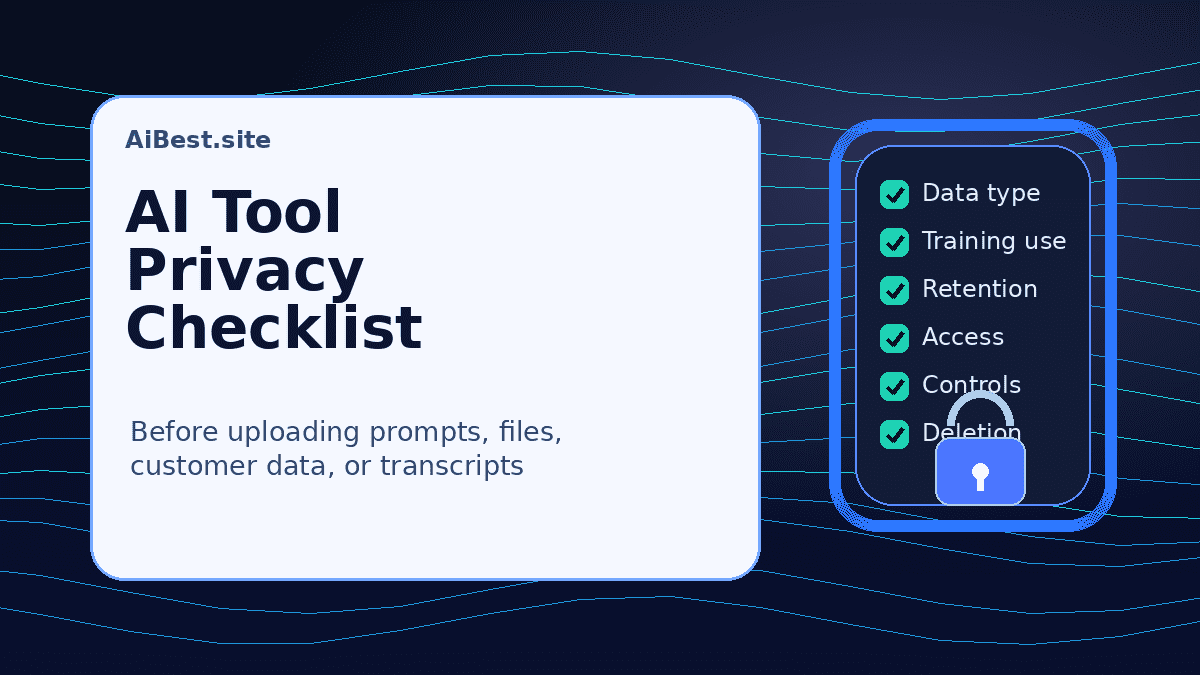
Before using an AI tool with real data, check these ten things:
- What type of data are you uploading?
- Whether prompts, files, chats, feedback, or outputs may be used for model or service improvement.
- How long chats, uploaded files, logs, backups, and account data may be retained.
- Whether file uploads, connectors, browser extensions, and integrations have separate risks.
- Whether vendor staff, contractors, reviewers, or service providers can access content in limited circumstances.
- Whether your account type includes admin controls, SSO, audit logs, retention controls, connector restrictions, or a data processing agreement.
- Whether security claims are backed by current documentation and not just marketing badges.
- Whether you can export, delete, restrict, or manage data after uploading it.
- Whether your organization, client, school, or contract allows this use.
- What safer alternative you should use if the risk is unclear.
If the data is sensitive and the vendor’s settings or policies are unclear, do not upload it. Use anonymized examples, synthetic data, an approved private workspace, a local/offline tool, or ask an authorized reviewer first.
Why AI tool privacy matters
AI tools often feel like private writing assistants. In practice, the details vary by vendor, product, account type, workspace, region, feature, and settings.
A free consumer chatbot may have different data-use rules from a team workspace. An API may be handled differently from a web chat. A one-line prompt may not carry the same risk as uploading a full client contract, spreadsheet, lecture transcript, source-code file, or cloud-drive folder.
The goal is not to memorize every policy. The goal is to know which questions to ask before you share data.
A useful privacy review should cover:
- Data sensitivity: What is inside the prompt or file?
- Data use: Can the vendor use it for model improvement or service improvement?
- Retention: How long can it remain in chats, logs, backups, abuse-monitoring systems, or connected services?
- Access: Who may review it, and under what circumstances?
- Controls: What settings are available for your account type?
- Permission: Are you allowed to upload this data at all?
NIST’s AI Risk Management Framework emphasizes that AI risk depends on context, purpose, and impact. That is the right mindset here: the same AI tool can be low-risk for brainstorming a public blog outline and high-risk for analyzing private customer records.
The AI tool privacy checklist
Use this checklist before uploading prompts, files, documents, spreadsheets, images, audio, video transcripts, or connected-app data to an AI tool.
1. Classify the data first
Start with the data, not the tool.
Ask:
- Is this information public, internal, confidential, regulated, or personal?
- Does it include someone else’s private information?
- Would there be harm if this data were exposed, retained, reviewed, or reused?
- Do I have permission to upload it to a third-party AI service?
Use this simple green/yellow/red model as a starting point.
Green: usually lower-risk examples
These are often safer for general AI use, assuming they do not include hidden sensitive details:
- Public website copy
- Public product descriptions
- Generic brainstorming prompts
- Your own non-confidential notes
- A fictional example dataset
- A synthetic customer example you created for testing
- A public job description or press release
Even with green data, avoid adding unnecessary personal details. A prompt can become sensitive if you paste names, emails, addresses, private messages, account numbers, or internal strategy.
Yellow: review before uploading
These may be acceptable in some tools or workspaces, but they deserve a closer look:
- Internal meeting notes
- Draft marketing plans
- Non-public sales scripts
- Anonymized customer feedback
- Unpublished blog drafts or creative work
- Business spreadsheets without direct identifiers
- Course notes or research summaries you are allowed to use
For yellow data, check your organization’s AI policy, the vendor’s current terms, and whether the account is a business/team workspace with appropriate controls.
Red: do not upload unless clearly approved
Treat these as restricted unless you have explicit permission, the right account controls, and qualified review:
- Health, medical, therapy, or patient information
- Financial records, tax details, bank data, insurance files, or payment information
- Legal documents, privileged communications, or active case materials
- Customer, client, employee, student, or child data
- Passwords, API keys, private keys, security logs, or credentials
- Trade secrets, unreleased product plans, proprietary strategy, or confidential source code
- Government, biometric, location, immigration, or identity documents
- Anything covered by an NDA, client contract, school policy, employer policy, or regulated-data rule
Redacting names is not always enough. A dataset can still identify someone through context, rare combinations, dates, locations, account details, or embedded metadata.
2. Check whether your data may be used for model training or improvement
Look for the vendor’s explanation of whether prompts, chats, uploaded files, feedback, or outputs may be used to improve models or services.
Do not assume all AI tools work the same way. Settings may differ by:
- Free, pro, team, business, enterprise, education, or API account
- Region or jurisdiction
- Chat versus API usage
- File uploads versus plain prompts
- Shared workspace versus personal account
- Opt-in or opt-out data controls
- Connected apps or third-party integrations
Questions to ask:
- Does the vendor say customer content may be used to train or improve models?
- Is model-training use on by default, off by default, opt-in, or opt-out?
- Are business, enterprise, education, or API accounts treated differently?
- Are uploaded files handled the same way as typed prompts?
- Does feedback, rating, or “thumbs up/down” content have different rules?
- Can an admin control these settings for the whole workspace?
If the answer is unclear, treat the tool as unsuitable for confidential data until clarified.
3. Review retention, deletion, and export options
Turning off model training does not necessarily mean a tool immediately deletes all copies of your data. Vendors may retain some data for abuse monitoring, security, debugging, billing, legal obligations, backups, support, or service operations.
Before uploading important data, check:
- How long chats are retained
- How long uploaded files are retained
- Whether deleted chats or files remain in backups for a period of time
- Whether abuse-monitoring or security logs are retained separately
- Whether admins can set retention periods
- Whether you can export your data
- Whether account deletion removes workspace data or only your personal account
- Whether shared files or team content require separate deletion steps
Avoid treating “delete” as “gone forever immediately.” Deletion options can vary by product, account type, workspace, backup policy, and legal requirements.
4. Treat file uploads and connectors as higher risk than a simple prompt
A typed prompt is one thing. Uploading a document, spreadsheet, email thread, transcript, image, codebase, or cloud-drive folder can expose much more than you intended.
Be especially careful with:
- PDFs and contracts
- Spreadsheets with hidden columns or tabs
- Meeting transcripts
- Audio and video files
- Screenshots that include names, addresses, account numbers, or browser tabs
- Email inbox, calendar, CRM, Slack, Notion, Google Drive, Microsoft 365, or Dropbox connectors
- Browser extensions that can read page content
- Automation tools that send data between apps
For meeting recordings, call transcripts, interviews, or class discussions, check consent rules and participant expectations before recording, uploading, or summarizing the content. Some workplaces, schools, clients, or jurisdictions require notice or permission before recording or processing a conversation.
Before connecting an app, ask:
- What exact permissions am I granting?
- Can the AI tool read only selected files, or an entire folder/account?
- Can it access future files added to the connected folder?
- Can other workspace members see the connected content?
- Can I revoke the connection easily?
- Does the integration have its own privacy policy or subprocessors?
5. Check human review, support access, and subprocessors
Some AI vendors may allow limited human review for safety, abuse monitoring, support, service improvement, debugging, or policy enforcement. Others may use subprocessors or service providers to help operate the product.
This does not automatically mean a tool is unsafe. It means you should know what the vendor says.
Look for:
- Privacy policy
- Terms of service
- Security or trust center
- Data processing addendum
- Subprocessor list
- Enterprise privacy page
- Help-center articles about training, retention, or human review
Questions to ask:
- Can vendor employees or contractors review submitted content in any circumstances?
- Are reviews automated, manual, or both?
- Are support tickets allowed to include user content?
- Does the vendor list subprocessors?
- Does the vendor explain regional data processing or data transfer terms?
- Are there separate rules for business/enterprise customers?
Do not assume “AI” means nobody can see the data. Also do not assume every vendor has the same review process.
6. Separate consumer accounts from team, business, enterprise, education, and API accounts
A privacy claim that applies to one account type may not apply to another.
For example, a vendor might offer stronger controls for business or enterprise plans, such as:
- Admin-controlled data settings
- Single sign-on
- Audit logs
- Workspace-level retention settings
- Member permissions
- Connector restrictions
- Domain verification
- Data processing agreement availability
- Security reports or compliance documentation
- Dedicated support or contract terms
These controls can reduce risk, but they are not a guarantee that every use is approved. They also may not exist on lower-tier plans.
If you are using AI at work, ask:
- Is this the approved workspace?
- Are employees allowed to use personal accounts?
- Are training settings controlled centrally?
- Are file uploads and connectors enabled or restricted?
- Are client/customer files allowed?
- Are audit logs or access reviews available?
- Who approves new AI tools?
For small teams creating a basic AI-use policy, see AiBest.site’s guide to AI tools for small business owners.
7. Read the security page, but do not treat badges as guarantees
Security pages can be useful. Look for information about encryption, access controls, infrastructure, incident response, vulnerability reporting, compliance reports, and enterprise security options.
But avoid a common mistake: a badge or certification does not mean every upload is safe for every purpose.
SOC 2, ISO 27001, encryption, SSO, or enterprise controls are signals to review. They are not proof that you can upload regulated, confidential, client, employee, student, financial, health, legal, or proprietary data without additional approval.
Questions to ask:
- Does the tool publish a security or trust center?
- Are compliance reports available, and for which services?
- Are encryption and access-control practices described clearly?
- Does the vendor offer a DPA, BAA, or other contract addendum where relevant?
- Are subprocessors listed?
- Is there a responsible disclosure or vulnerability program?
- Are data residency or regional processing options available if you need them?
If you need a specific compliance posture, do not infer it from marketing copy. Confirm it through the vendor’s current documentation and your organization’s review process.
8. Confirm export, deletion, and account lifecycle controls
Before you rely on an AI tool, check whether you can leave later.
Ask:
- Can I export chats, files, projects, notes, or workspace data?
- Can I delete individual chats or uploaded files?
- Can an admin delete a user’s content if an employee leaves?
- What happens to shared workspace content if the original uploader deletes their account?
- Does deleting an account remove all associated data, or are there exceptions?
- Are backups, logs, or abuse-monitoring data handled separately?
This matters for teams, students, creators, agencies, and freelancers because AI tools often become part of a workflow. If a tool stores client drafts, meeting notes, research, or internal decisions, you should know how to retrieve or remove that data later.
9. Check your own permission, policy, and contracts
The vendor’s privacy page is only one side of the decision. You also need permission to share the data.
Before uploading, ask:
- Does my employer, school, client, or organization allow this AI tool?
- Does the contract or NDA allow third-party processing?
- Is the data about someone else?
- Would the person reasonably expect me to upload it to an AI service?
- Does the data involve minors, employees, patients, students, customers, tenants, borrowers, or clients?
- Is there a required approved vendor list?
- Do I need a DPA, BAA, security review, or written approval?
Students should not upload classmates’ private information, unpublished research, or institution-controlled records without permission. Freelancers should not upload client materials just because it helps speed up a task. Business owners should not paste customer records into a public tool without reviewing privacy, contractual, and policy obligations.
10. Use safer alternatives when the risk is unclear
If you are unsure, you still have options.
Instead of uploading the real data, you can:
- Use a fictional example
- Replace real names with generic roles
- Remove IDs, account numbers, addresses, and contact details
- Use a short excerpt instead of the full document
- Summarize the situation without pasting raw records
- Create a synthetic dataset
- Use an approved internal AI workspace
- Use a local/offline model for sensitive drafts if your organization supports it
- Ask a manager, instructor, client, legal reviewer, or security team first
A practical decision rule:
If the data is sensitive and the tool’s account controls, privacy terms, retention rules, or permissions are unclear, do not upload it.
A simple privacy decision table
Use this table before sharing data with an AI tool.
| Data type | Example | Suggested action |
|---|---|---|
| Public information | Public product page, press release, published article | Usually lower risk; still avoid unnecessary personal details |
| Your own low-risk draft | Personal outline, non-confidential notes | Usually okay for general AI help, depending on your comfort and account settings |
| Internal business content | Strategy notes, sales scripts, meeting summaries | Check organization policy and vendor controls before uploading |
| Customer/client data | Support tickets, contracts, CRM exports, project files | Do not upload unless explicitly approved and covered by the right account/vendor terms |
| Regulated or highly sensitive data | Health, legal, financial, student, employee, government, child, biometric, credentials | Treat as restricted; get qualified approval before use |
| Connected app data | Google Drive, email, Slack, CRM, Notion, browser extension | Review permissions carefully; connectors may expose more data than intended |
Questions to ask before using a new AI tool at work
If your team is trying a new AI app, copy this list into the review process:
- What problem are we using this tool for?
- What data will employees upload or connect?
- Are personal accounts allowed, or must users use an approved workspace?
- Does the vendor use prompts, files, outputs, or feedback to improve models?
- Are model-training controls available to admins?
- How long are chats, uploads, logs, and deleted content retained?
- Are file uploads and connectors enabled?
- Can vendor staff, contractors, or subprocessors access content in some circumstances?
- Is a DPA, BAA, security report, or subprocessor list available if needed?
- Can admins manage users, permissions, SSO, audit logs, retention, exports, and deletion?
- What data is prohibited from upload?
- Who approves exceptions?
This is also a useful checklist for agencies, consultants, real estate teams, marketing teams, educators, and small businesses that want the productivity benefits of AI without turning every employee into an ad-hoc privacy decision-maker.
Real estate, agency, and client-service workflows need extra caution because prompts can include client names, property details, contracts, campaign data, or financial context. Related AiBest guides: AI tools for real estate agents and AI tools for marketing agencies.
Examples: what to do in common situations
You want to summarize a client contract
Do not upload the full contract to a general AI tool unless the client agreement, your organization’s policy, and the vendor’s account controls allow it. Consider summarizing a short non-sensitive excerpt, using a fictionalized version, or asking an authorized reviewer which tool is approved.
You want to rewrite a customer support reply
Do not paste the customer’s full name, email, account number, address, payment details, or private history unless you are using an approved workflow. You can often ask the AI tool to improve tone using a generic example instead.
Example safer prompt:
“Rewrite this support reply to sound calm and helpful. Context: the customer is asking for a refund after a delayed delivery. Do not add new policy promises.”
You want to summarize class notes or meeting transcripts
Your own notes may be lower risk, but avoid uploading classmates’ private comments, institution-controlled records, unpublished research, or personal details without permission. If your school has an AI policy, follow it.
For meeting recordings, call transcripts, interviews, or class discussions, check whether participants were notified and whether recording, transcription, or AI summarization is allowed before uploading the content.
You want to analyze a spreadsheet
Check for hidden columns, tabs, customer identifiers, financial data, employee information, or account numbers before upload. If you only need help with a formula, create a small synthetic table instead of uploading the real file.
You want to connect your cloud drive
Review permissions carefully. A drive connector can expose more than one file. Check whether access is limited to selected files or folders, whether future files can be included, and whether other workspace members can access outputs based on connected content.
What this checklist does not do
This checklist does not prove that a tool is safe, private, secure, compliant, or approved for your use case. It also does not replace a vendor security review, legal review, compliance review, school policy, employer policy, or client contract.
It is a practical starting point. The point is to slow down before sharing data and ask better questions.
FAQ
Is it safe to upload files to AI tools?
It depends on the file, tool, account type, settings, and your permission to share the data. Public or low-risk files may be acceptable in some workflows. Client records, contracts, financial data, health information, student data, employee information, credentials, or confidential business materials should not be uploaded unless the use is clearly approved and supported by the vendor’s current terms and controls.
Do AI tools use my prompts and files for training?
Some tools or account types may use prompts, chats, files, feedback, or outputs to improve models or services, while others may limit or exclude training use for certain business, enterprise, education, or API accounts. Check the vendor’s current privacy, data-use, and admin-control documentation. Do not assume one tool’s policy applies to another tool.
If I turn off training, is my data deleted?
Not necessarily. Turning off model training may limit training use, but it may not eliminate all retention, logging, human review, abuse monitoring, backups, support records, or legal-preservation obligations. Check retention and deletion rules separately.
Are enterprise AI tools private by default?
Enterprise or team tools may offer stronger controls, but they are not automatically approved for every type of data. Review the specific plan, contract, admin settings, retention rules, subprocessors, and organization policy before uploading sensitive information.
Can I upload customer data if I remove names?
Maybe, but redaction is not always enough. People can sometimes be identified through context, dates, locations, account details, rare combinations, or hidden metadata. If the data is about customers, clients, employees, students, patients, or other people, check your policy and permissions first.
What should I do if the privacy policy is unclear?
Treat the tool as unsuitable for sensitive or confidential data until clarified. Use a fictional example, synthetic data, a smaller non-sensitive excerpt, an approved private workspace, or ask an authorized legal, security, compliance, client, school, or management reviewer.
Related AiBest guides
If you are choosing tools after using this checklist, start with the Best AI Tools Hub to compare options by workflow and data-risk level. If you are deciding between general-purpose assistants, see ChatGPT vs Claude vs Gemini for a practical, no-affiliate comparison. If your workflow includes meeting recordings, interview summaries, lecture capture, or searchable transcripts, compare those privacy tradeoffs against our guide to the best AI note-taking tools before you choose a recorder.